Cloud & IT
Cloud Migration for Growing Businesses: Benefits, Challenges, and Best Practices
Moving to the cloud is a business decision before it is a technical one. Benefits, pitfalls and a phased plan that keeps the lights on.
- By Innovix Solutions LLC
- 7 min read
For many growing businesses, the question is no longer whether to use the cloud but how much of the business should run there, and how to get it there without disruption. Email and file storage may already be in the cloud, while key applications still run on a server in a back office, approaching the end of its life.
Cloud migration for businesses is a business decision before it is a technical one. Done well, it improves reliability, flexibility and security while putting costs on a more predictable footing. Done poorly, it moves old problems to a new location and adds a monthly bill.
This guide covers the real benefits, the common challenges, the main migration strategies and a phased approach that keeps operations running.
What cloud migration involves
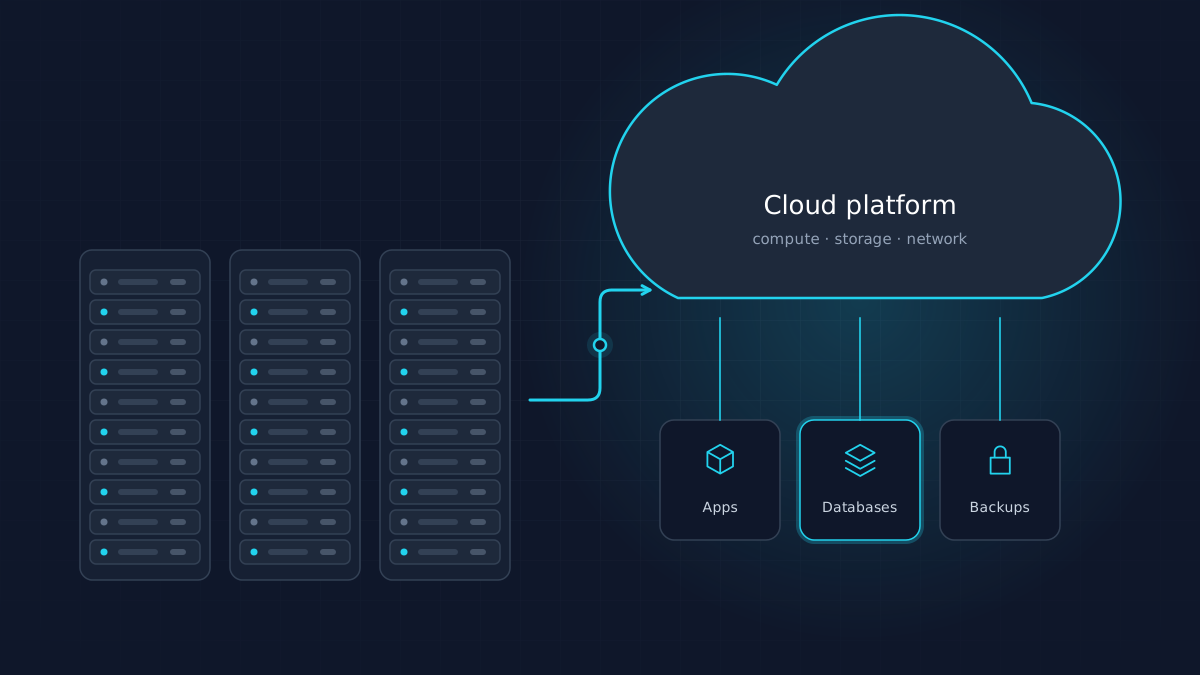
Cloud migration means moving applications, data and infrastructure from on-premise servers or traditional hosting to a cloud provider such as AWS or Microsoft Azure. It can include:
- Infrastructure: virtual servers, storage and networking
- Applications: line-of-business software, websites and internal tools
- Data: databases, file shares and archives
- Supporting services: backups, identity management, monitoring and security
Few businesses move everything at once. Most migrate in stages, and some systems may stay where they are.
The benefits that matter for growing businesses
Reliability and resilience
Cloud platforms offer infrastructure spread across multiple data centers, with options for redundancy that would be costly to build on-premise. Combined with properly configured backups, this reduces the risk and impact of hardware failure.
Scalability without overbuying
On-premise hardware has to be sized for peak demand years in advance. In the cloud, resources can grow or shrink with actual usage. That matters for seasonal businesses, fast-growing companies and anyone launching new digital services.
Flexible work and new locations
Cloud-hosted applications are reachable securely from anywhere, which simplifies remote and hybrid work, new offices and field teams.
Security capabilities
Major providers offer mature tools for identity management, encryption, logging and threat detection. Used correctly, these can raise a small business's security posture well beyond what it could manage alone.
Faster modernization
Managed databases, serverless functions, AI services and analytics tools become available on demand, making it easier to build new capabilities. This is where cloud modernization delivers value beyond simply relocating servers.
Predictable operating costs
Capital purchases give way to operating expenses that track usage, provided costs are actively managed.
The challenges to plan for
Cloud is not automatically cheaper, simpler or more secure. Plan for these challenges from the start.
- Cost surprises. Oversized resources, forgotten test environments, data transfer charges and storage that grows unchecked can push bills higher than expected.
- Legacy applications. Older software may depend on specific operating systems, licensing tied to hardware or network assumptions that do not translate directly.
- Shared responsibility. The provider secures the underlying infrastructure; you remain responsible for configuring access, protecting data and securing applications. Misconfiguration is a common source of cloud incidents.
- Skills gaps. Cloud environments need different skills from traditional server administration.
- Downtime risk. Poorly planned cutovers can interrupt operations.
- Compliance. Regulated data may have requirements around location, access and auditing.
- Vendor lock-in. Deep use of provider-specific services can make future changes harder. That is a trade-off to make consciously, not a reason to avoid managed services entirely.
The 7 Rs: choosing a strategy for each workload
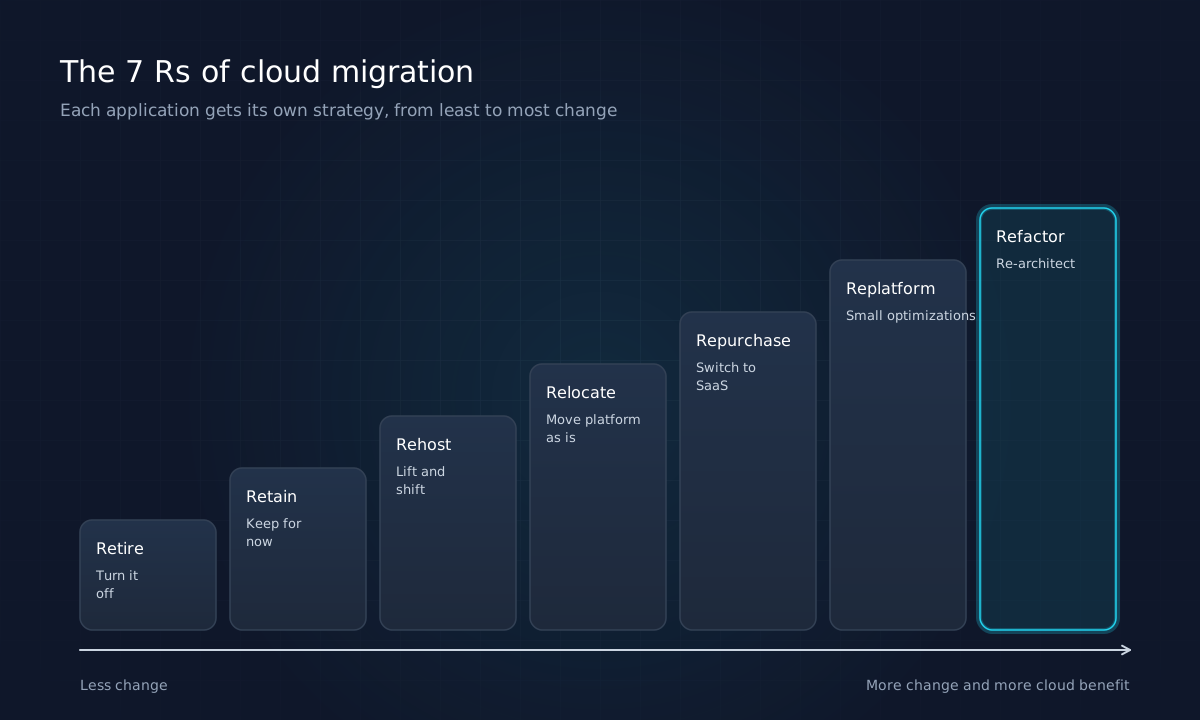
There is no single migration strategy. Each application gets its own decision. AWS describes seven common migration strategies, often called the 7 Rs.
| Strategy | What it means | When it fits |
|---|---|---|
| Retire | Decommission the application | It is no longer used or its function is duplicated |
| Retain | Keep it where it is for now | Recently upgraded, hard to move, or low priority |
| Rehost | Move as is to cloud servers ("lift and shift") | Speed matters and the application works well today |
| Relocate | Move a virtualized platform to the cloud with minimal change | Existing virtualization can be moved wholesale |
| Repurchase | Replace with a SaaS product | A good product now covers the need |
| Replatform | Make targeted improvements during the move | Small changes, such as a managed database, bring clear benefits |
| Refactor | Redesign for cloud-native services | The application is strategic and needs to scale or change |
For many small and mid-sized businesses, a portfolio might include retiring a few unused systems, repurchasing commodity functions as SaaS, rehosting or replatforming core applications, and refactoring only the one or two systems that differentiate the business.
A phased migration plan
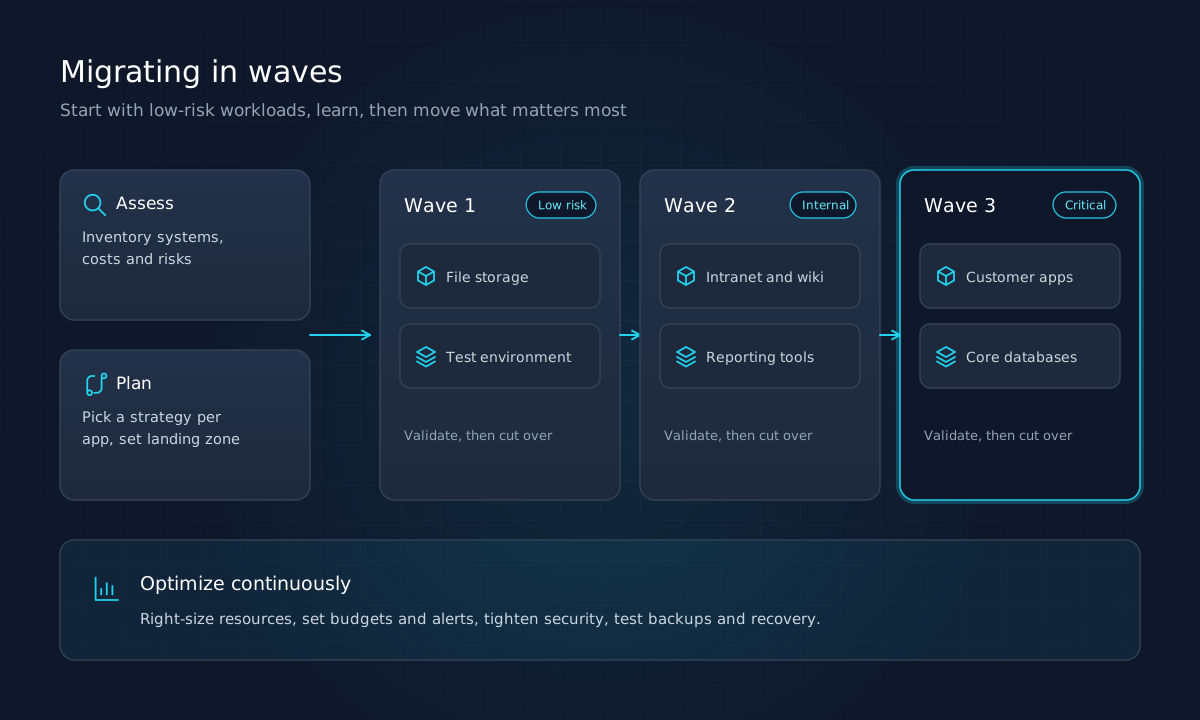
Migrating in phases reduces risk and lets your team learn as it goes.
1. Assess
Inventory applications, servers, data, dependencies, licenses and current costs. Talk to the people who use each system. Identify what is business-critical, what is fragile and what is unused. This is where cloud consulting services add the most value: an objective view of what you have and what it costs.
2. Plan
Choose a strategy for each workload, estimate effort and cost, and group workloads into migration waves. Define success criteria, a cutover approach and a rollback plan for each.
3. Prepare the landing zone
Before anything moves, set up the foundation: account structure, networking, identity and access management, logging, backups, security baselines and cost alerts. Getting this right early avoids rework and security gaps.
4. Migrate in waves
Start with lower-risk workloads, such as file storage or a test environment, to build confidence and refine the process. Move internal applications next, then customer-facing systems and core databases once the team and processes are proven. Validate each wave before cutting over and keep rollback options until systems are stable.
5. Optimize continuously
After migration, right-size resources, review costs monthly, apply security updates, test backup restores and revisit architecture as needs change. Optimization is ongoing, not a final step.
Cost management essentials
Strong cloud infrastructure solutions include cost control from day one:
- Set budgets and alerts for each environment.
- Tag resources by application and owner so costs are traceable.
- Right-size servers based on actual utilization.
- Shut down or schedule non-production environments outside working hours.
- Use reserved capacity or savings plans for steady workloads.
- Review storage lifecycle policies so old data moves to cheaper tiers or is deleted.
Security essentials
- Enforce multi-factor authentication and least-privilege access.
- Encrypt data in transit and at rest.
- Centralize logging and review alerts.
- Keep backups separate from production and test restores regularly.
- Review configurations against provider best practices and recognized benchmarks.
What to ask a cloud consulting partner
If you bring in outside help, the right questions reveal whether a partner will act in your interest:
- Will you assess before recommending? A credible partner inventories your environment before proposing a platform or strategy.
- Which workloads would you not move, and why? Good advice includes what to retire or retain.
- How will you estimate ongoing costs, and how will we monitor them after migration?
- What does the landing zone include for identity, networking, logging and backups?
- How are cutovers and rollbacks handled for each wave?
- Who owns the accounts? Cloud accounts, credentials and documentation should belong to your business.
- What support is available after migration, and what does it cost?
Clear, specific answers to these questions are a strong signal that the migration will be planned around your business rather than around a sales target.
Is your business ready?
Signs that a business cloud migration deserves a serious look include servers nearing end of life, growing remote or multi-site operations, backups that have never been tested, rising maintenance effort for aging systems, and plans for new digital services that need scalable infrastructure.
Cloud migration often goes hand in hand with broader change. Our article on digital transformation for small businesses covers how infrastructure fits into a wider strategy, and how AI and automation are changing business software explains capabilities that cloud platforms make easier to adopt. If a migration reveals applications that need rebuilding, our guide to custom software development can help you decide what to build.
Key takeaways
- Cloud migration is a business decision: start with goals, costs and risks.
- Benefits include reliability, scalability, flexibility and access to modern services, but savings require active management.
- Choose a strategy for each workload using the 7 Rs rather than one approach for everything.
- Prepare a secure landing zone, migrate in waves and validate before each cutover.
- Optimize continuously for cost, security and performance.
Innovix Solutions provides cloud and IT consulting for growing businesses across the United States, from initial assessment through migration and ongoing optimization, with custom software development when applications need modernizing.
Frequently asked questions
Cloud migration is the process of moving applications, data and infrastructure from on-premise servers or another hosting environment to a cloud provider such as AWS or Microsoft Azure. It can range from moving a single application to relocating an entire IT environment.
AWS describes seven migration strategies: retire, retain, rehost (lift and shift), relocate, repurchase (move to a SaaS product), replatform (make limited optimizations during the move) and refactor or re-architect (redesign for cloud-native services).
It depends on the number and complexity of systems. Moving a few simple workloads may take weeks; migrating many interconnected applications is typically planned in waves over a longer period. Assessment and planning are what make timelines realistic.
It can, but savings are not automatic. Cloud reduces hardware purchases and over-provisioning, yet unmanaged resources and data transfer can increase costs. Right-sizing, retiring unused systems and ongoing cost monitoring are what deliver savings.
Major cloud providers invest heavily in the security of their infrastructure, but under the shared responsibility model customers remain responsible for configuring access, protecting data and securing their applications. Most cloud security incidents stem from misconfiguration rather than provider failures.