Software Development
Custom Software Development: How Tailored Solutions Help Businesses Scale
Off-the-shelf tools get you started. Here is how to tell when tailored software will help you scale, and how to build it without wasting budget.
- By Innovix Solutions LLC
- 7 min read
Most businesses start on off-the-shelf software, and they should. A good CRM, accounting package or project tool gets a young company running quickly and cheaply. The trouble starts later, when the business grows in a direction the software was never designed for.
Teams begin exporting data to spreadsheets, re-typing orders from one system into another, and building approval chains out of email threads. Each workaround is small. Together they cost hours every week, introduce errors and make it hard to see what is actually happening in the business.
That is the point where custom software development becomes worth considering. This guide explains what tailored software is, when it pays off, how to scope it sensibly and what a scalable architecture looks like, so you can make the decision with clear eyes.
What custom software development actually means
Custom software is built for a specific organization's processes, data and users. Instead of adapting your workflow to a product, the software is designed around the workflow you have, or the better one you want.
It covers a wide range of projects:
- Internal tools, such as a quoting engine, scheduling board or inspection app
- Customer and partner portals where clients place orders, track status or download documents
- Integration layers that connect a CRM, accounting system, inventory and e-commerce platform so data is entered once
- Operations platforms that replace a patchwork of spreadsheets with a single system of record
- New software products that a business sells to its own customers
Custom does not mean everything is built from scratch. Good custom business software leans heavily on proven frameworks, cloud services and open-source libraries. The custom part is the business logic, the data model and the user experience, which is where the value sits.
Signs your business has outgrown off-the-shelf tools
Not every frustration with software justifies a build. These signs, especially in combination, suggest the problem is structural rather than a matter of configuration:
- Double data entry is routine. Staff copy information between two or more systems every day.
- A critical process lives in one spreadsheet or one person's head. If that person is on vacation, work stops.
- Customers ask for information your team must look up manually, such as order status, document copies or account balances.
- Your process is a competitive advantage, and the product forces you to work like everyone else.
- License and add-on costs keep climbing while the tools still do not quite fit.
- Reporting takes days, because data has to be pulled from several places and reconciled by hand.
If two or three of these are true, it is worth mapping the process in detail and estimating what the friction is costing you.
Buy, extend or build: a practical decision framework
The most useful question is not "custom or off-the-shelf?" but "how unique and how strategic is this process?"
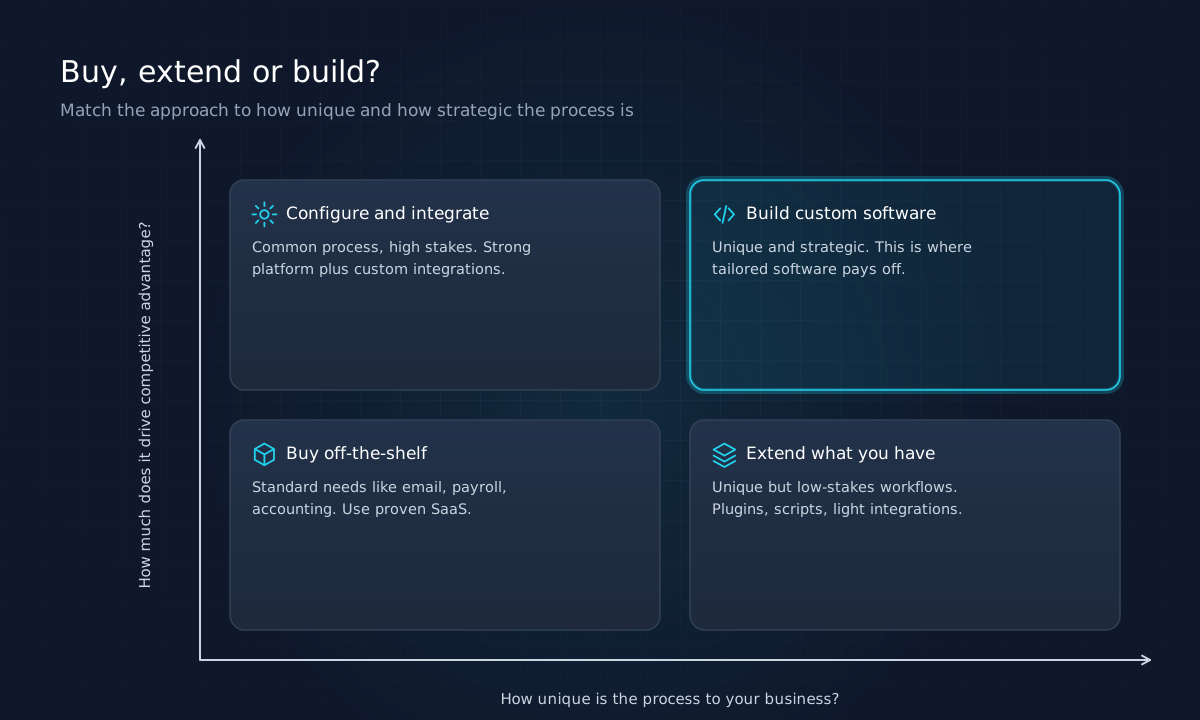
| Situation | Recommended approach | Example |
|---|---|---|
| Common process, low strategic value | Buy a proven product | Payroll, email, accounting |
| Common process, high strategic value | Configure a strong platform and integrate it | CRM tailored to your sales stages |
| Unique process, low strategic value | Extend existing tools with scripts or plugins | Custom export for a niche report |
| Unique process, high strategic value | Build custom software | Proprietary quoting or scheduling engine |
This framework keeps custom development where it earns its cost. Building your own accounting system is almost never wise. Building the quoting tool that lets your sales team respond in minutes instead of days may be one of the best investments you make.
How tailored software helps businesses scale
Scaling is not just handling more users. It means growing revenue without growing overhead at the same rate. Custom software contributes in four ways.
It removes manual work that grows with volume
When every new order requires someone to re-key data, headcount has to rise with sales. Automating that step breaks the link. The same principle applies to approvals, notifications, document generation and reconciliation.
It creates a single source of truth
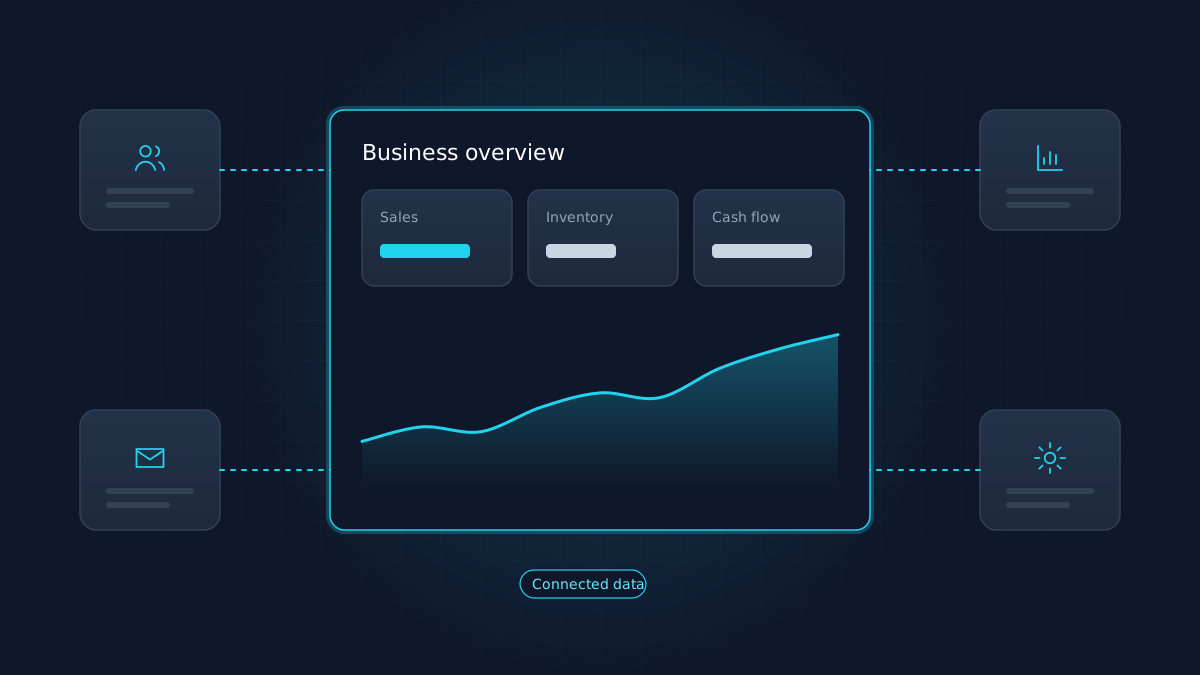
Disconnected tools produce disagreements: the CRM says one thing, the spreadsheet another. A system of record, or an integration layer that keeps tools in sync, gives managers numbers they can trust and decisions they can make quickly. Our article on digital transformation for small businesses explains why connected data is usually the first stage worth reaching.
It turns your process into an asset
If the way you price, schedule or serve customers is genuinely better, software makes it repeatable. New staff learn the system instead of tribal knowledge, and quality stays consistent as the team grows.
It improves the customer experience
Self-service portals, instant status updates and faster quotes are visible to customers. They reduce inbound calls, shorten sales cycles and make the business easier to buy from.
What a scalable architecture looks like
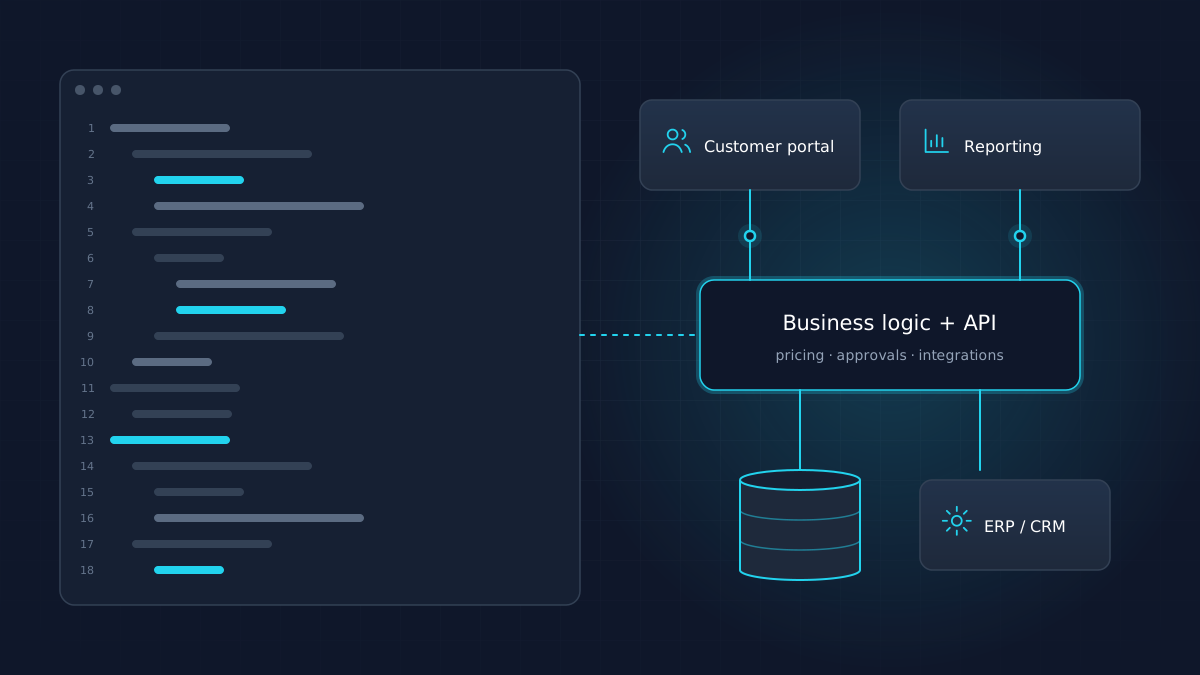
Scalable software solutions are less about exotic technology and more about sensible separation of concerns. A typical business application has four layers:
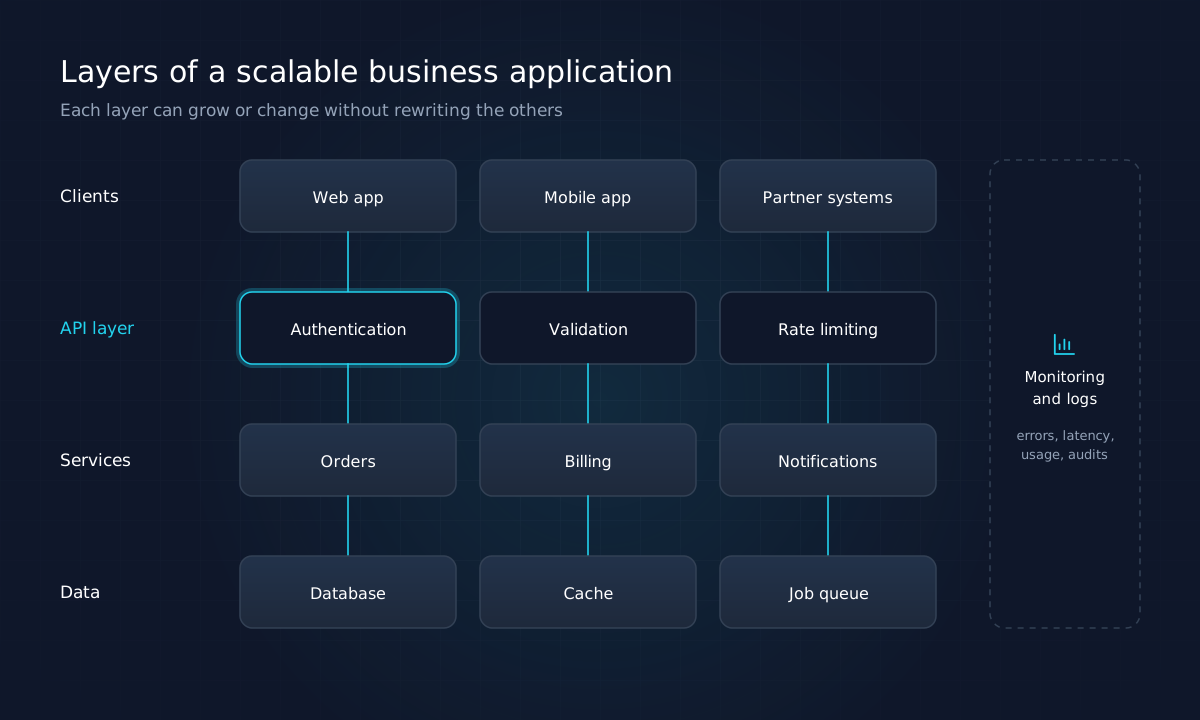
- Clients: the web app, a mobile app or partner systems that use the software.
- API layer: a defined interface that handles authentication, validation and rate limiting. Every client goes through it, which keeps rules consistent.
- Services: the business logic, organized by domain such as orders, billing and notifications.
- Data: the database, plus a cache for speed and a job queue for work that should happen in the background.
Monitoring and logging run across all of them, so problems are spotted before customers report them.
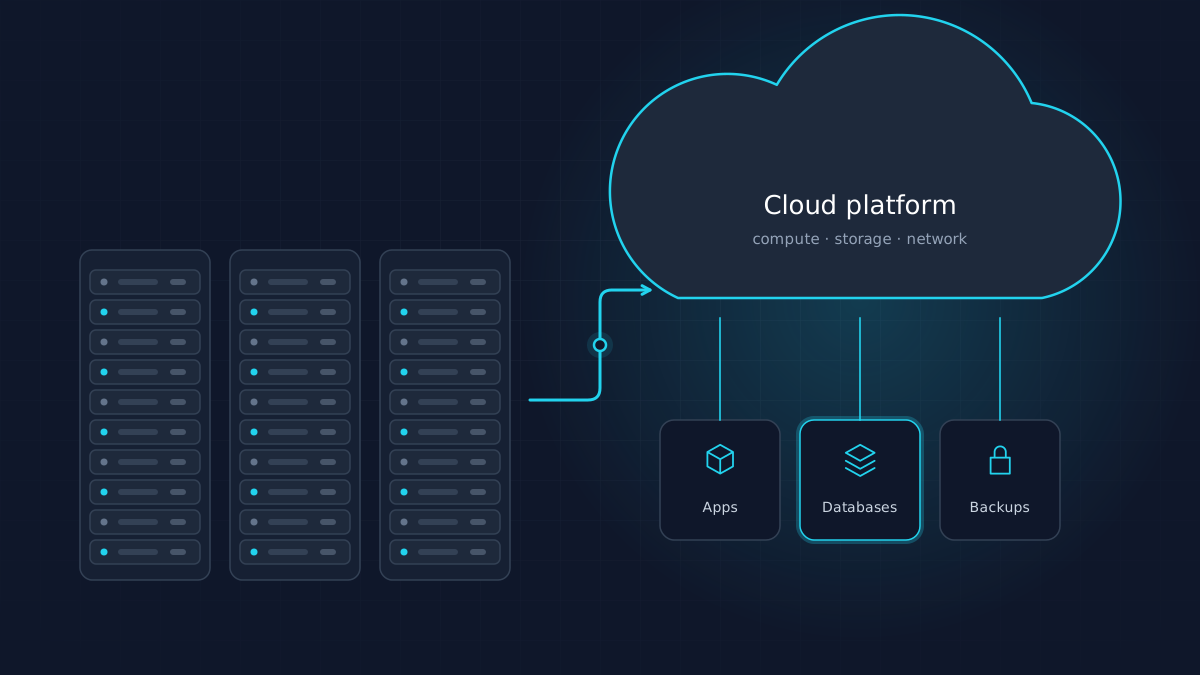
You do not need microservices or complex infrastructure on day one. Many successful systems start as a well-structured single application on managed cloud services. What matters is that boundaries are clear enough to split things later if growth demands it. Our guide to cloud migration for growing businesses covers the infrastructure side in more depth.
How to scope a custom software project without wasting budget
Most software projects that go over budget do so because the first version tries to do everything. A better approach:
- Map the current process. Interview the people who do the work. Document each step, handoff and exception.
- Define success in measurable terms. For example: quotes issued within one business day, or zero manual re-entry of orders.
- Prioritize ruthlessly. Separate what the first release must do from what can wait. A useful test is whether the business can operate with the feature missing for three months.
- Prototype the risky parts first. If an integration with an old ERP is uncertain, test it before committing to the full build.
- Release early, then iterate. A small system in real use teaches more than a large specification ever will.
This is also how enterprise application development stays manageable: large systems are built as a sequence of useful releases, not as one big launch.
Choosing a development partner
Whether you work with a local firm or one of the many software development services in the USA that work remotely, look for these qualities:
- They ask about the business before the technology. Early conversations should focus on goals, users and constraints.
- They propose a small first release and can explain why it is the right starting point.
- They show how they work: version control, code review, testing, regular demos and written decisions.
- You own everything: source code, documentation, cloud accounts and data.
- They use mainstream technology with a large talent pool, so you are never dependent on one team.
- They talk honestly about trade-offs, including when not to build.
Be cautious of fixed quotes for loosely defined work, and of anyone who cannot explain technical choices in plain language.
The role of AI and automation
Modern custom software increasingly includes automation and AI features, such as classifying incoming requests, extracting data from documents or suggesting next actions. These can add real value when they are used for well-defined tasks with human review where it matters. Our article on how AI and automation are changing business software covers where these tools help and where caution is warranted.
Key takeaways
- Off-the-shelf software is the right default for common, non-strategic processes.
- Custom software pays off when a process is distinctive, strategic, or held together by manual workarounds.
- Tailored systems help businesses scale by removing work that grows with volume, creating a single source of truth and making good processes repeatable.
- Scalable architecture is about clear layers and boundaries, not complexity.
- Start with a small, measurable first release and build from there.
If your team spends more time working around its software than working with it, that is worth a conversation. Innovix Solutions provides custom software development for businesses across the US, with UI/UX design and cloud consulting under the same roof.
Frequently asked questions
Custom software development is the process of designing, building and maintaining software for a specific organization's processes and users, rather than buying a product built for a general market. It ranges from small internal tools to large customer-facing platforms.
The upfront cost is usually higher, because you pay to design and build it. Over several years the comparison depends on license fees, the cost of workarounds and integrations, and how much the software contributes to revenue or efficiency. For processes that are standard, off-the-shelf products are almost always cheaper.
A focused first release is commonly planned over weeks to a few months. Timelines depend on the number of user roles, integrations and data migration involved. Delivering a small first release early is the most reliable way to keep schedules realistic.
Yes, in most cases. Modern CRMs, accounting systems, e-commerce platforms and ERPs expose APIs. Reviewing the quality of those APIs early is important, because integrations are a common source of project risk.
Protect yourself by owning the source code, hosting accounts and data, insisting on documentation, and choosing mainstream technologies with large developer communities. That way another team can maintain the system if needed.